












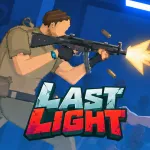
Last Light – Find a Way Out
Last Light is a 2D survival horror game that challenges you to escape a dangerous laboratory through intense combat and smart resource management. Every bullet is precious, every decision regarding power consumption comes at a cost, and a single mistake could leave you trapped in the darkness. Put your survival instincts to the test today!
Gameplay
Last Light combines side-scrolling action, zombie combat, and survival strategy within a mysterious laboratory overrun by ferocious creatures. Explore the facility, scavenge for useful items, and defend yourself as you search for a way out.
Survival requires more than just weapons. You must also manage power for lighting, security systems, and elevators, while maintaining your defenses. With limited ammunition and supplies, careful preparation is the key to overcoming perilous situations.
Explore the Facility and Battle Zombies
Navigate the dark corridors of Last Light, keep a close watch on your surroundings, and gather items to aid your survival. Aim carefully as zombies approach—don’t waste precious ammunition on unnecessary shots. Stay alert, especially when visibility drops and threats become harder to manage.
Manage Your Power Supply
Electricity powers three critical systems: lights to help you see, security systems to protect the facility, and elevators—your key to escape. Use generators to produce power, and store any excess energy in batteries for later use. Distribute power wisely to ensure that one system’s operation doesn’t leave another lacking energy.
Strengthen Defenses and Prepare for Escape
Reinforce doors and maintain equipment in Last Light to slow down waves of zombie attacks. Gather essential supplies, keep track of your resources, and ensure the elevator is always ready for use. A solid defense will buy you more time to plan and find an opportunity to break free.
Last Light Controls
- W / A / S / D: Move around the facility.
- Right-click: Aim.
- Left-click: Shoot.
- R: Use an item or reload.
- E: Interact with objects.
- Middle mouse button: Kick or cancel an action.
- Left Shift: Sprint.
Other Games


